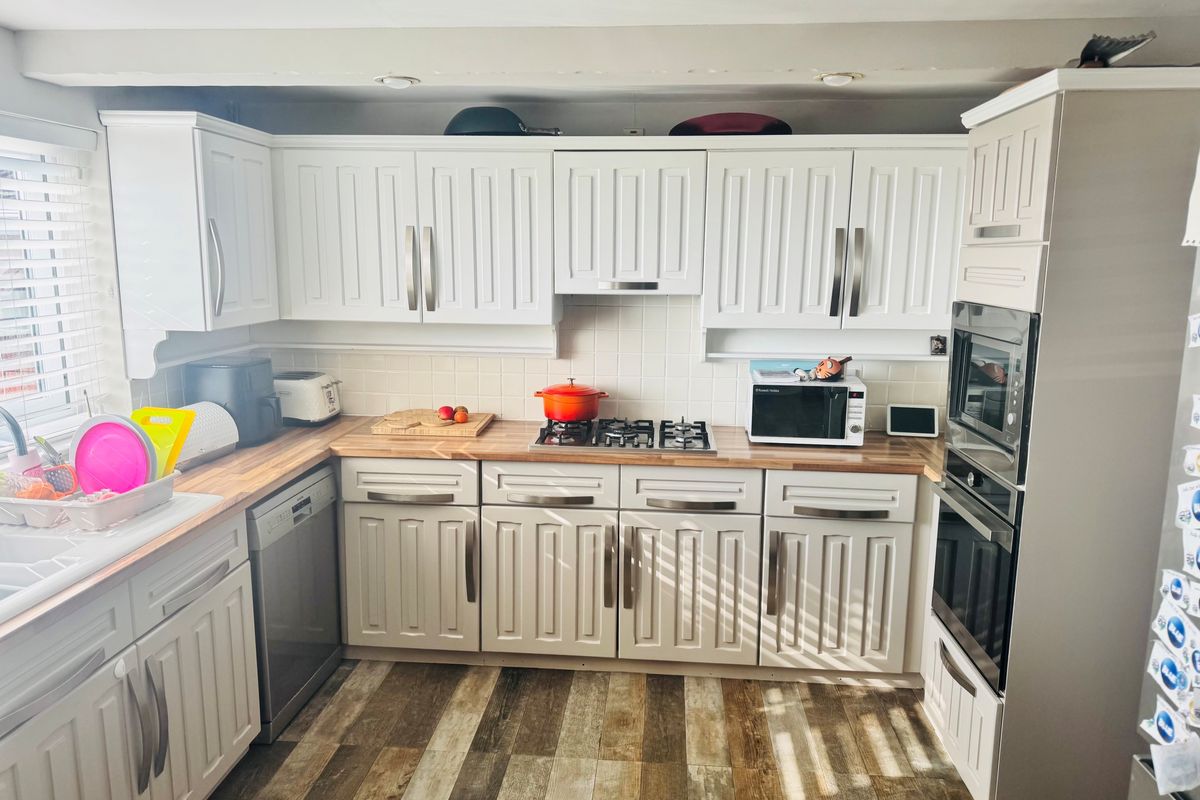
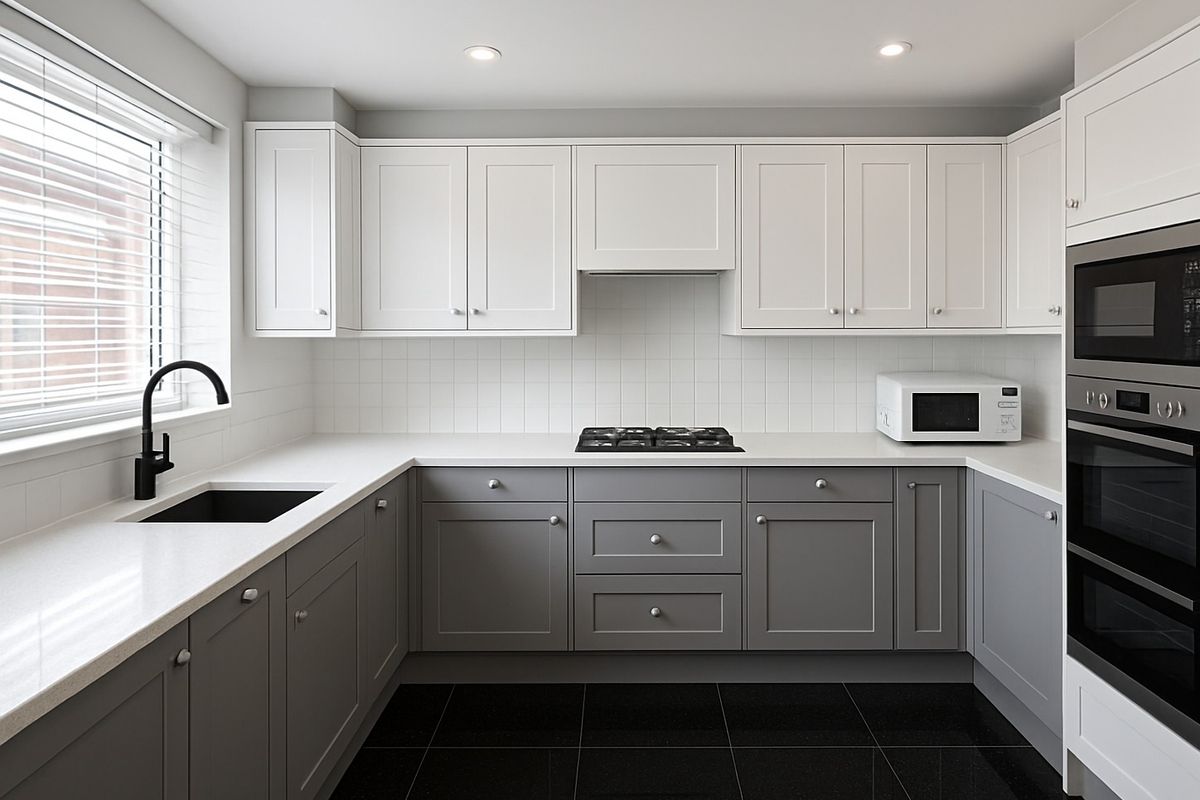
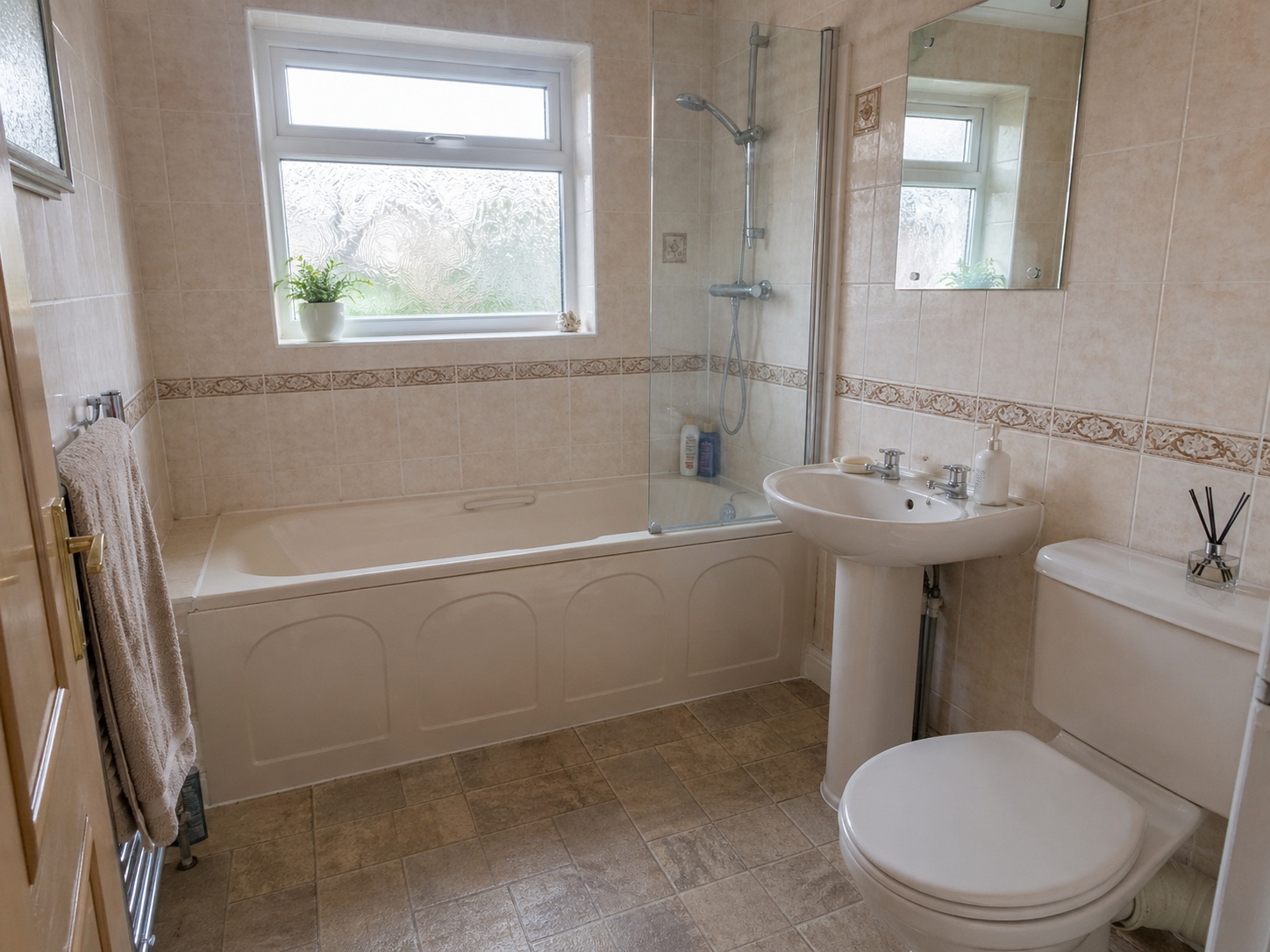
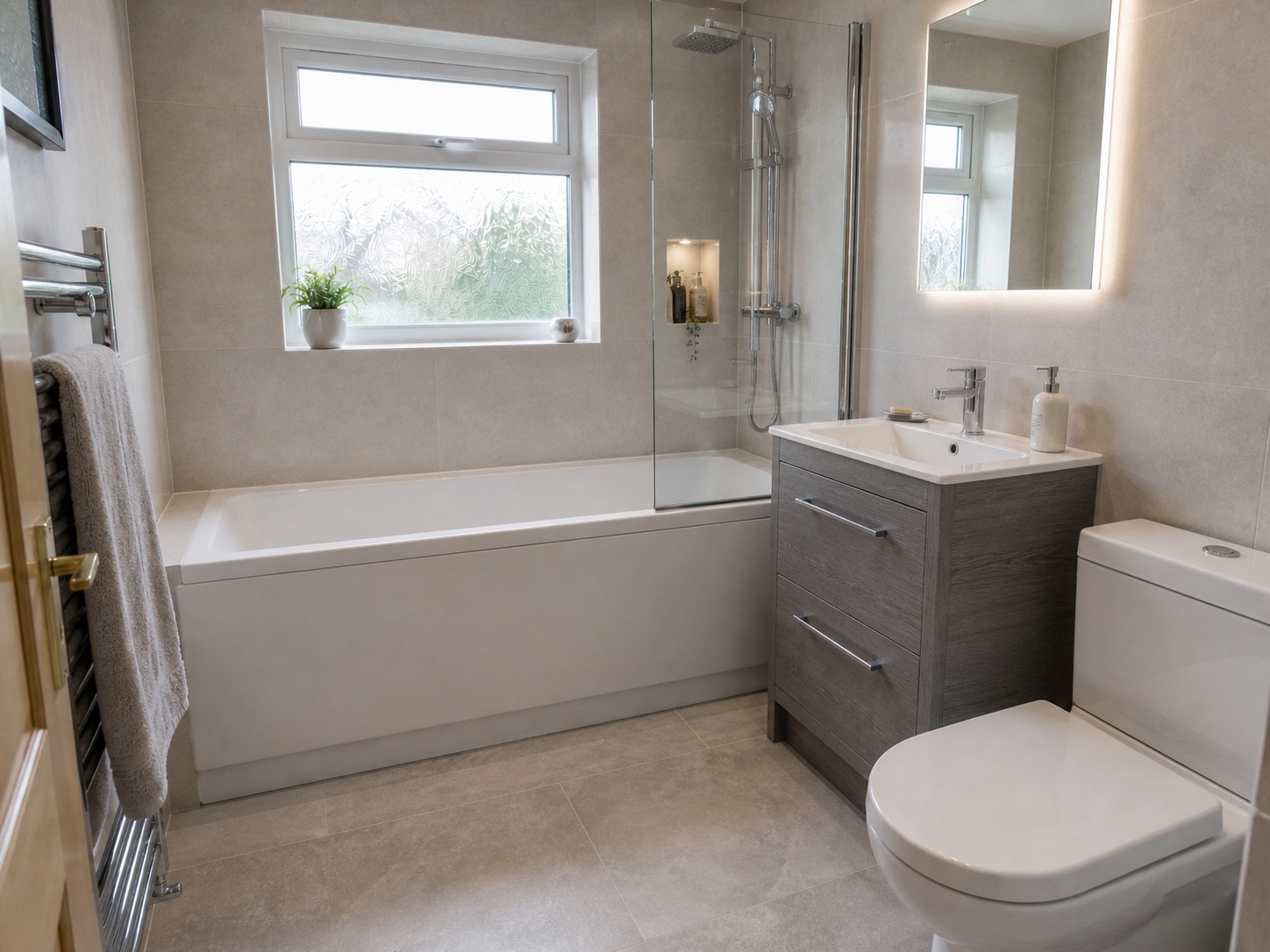
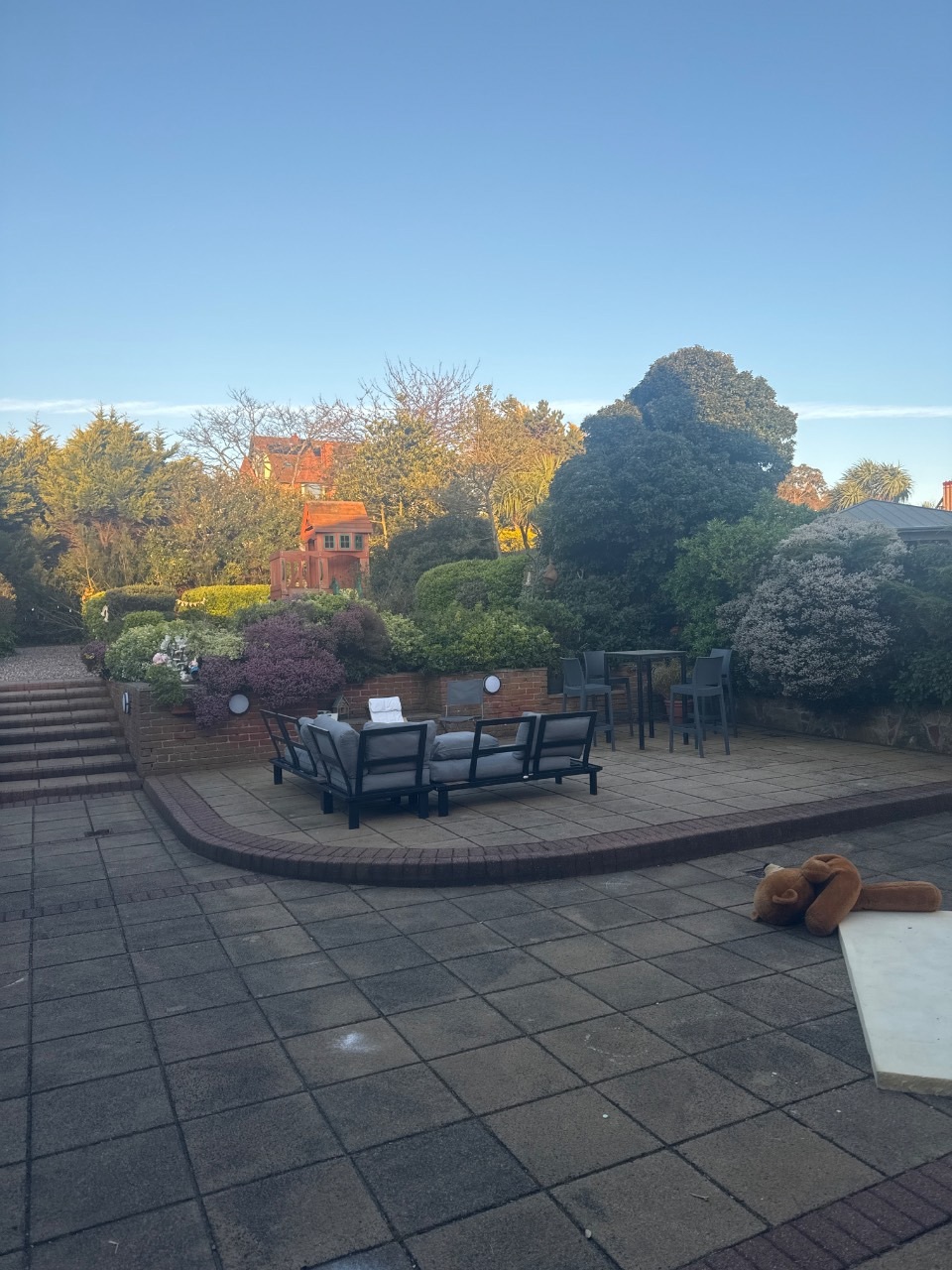
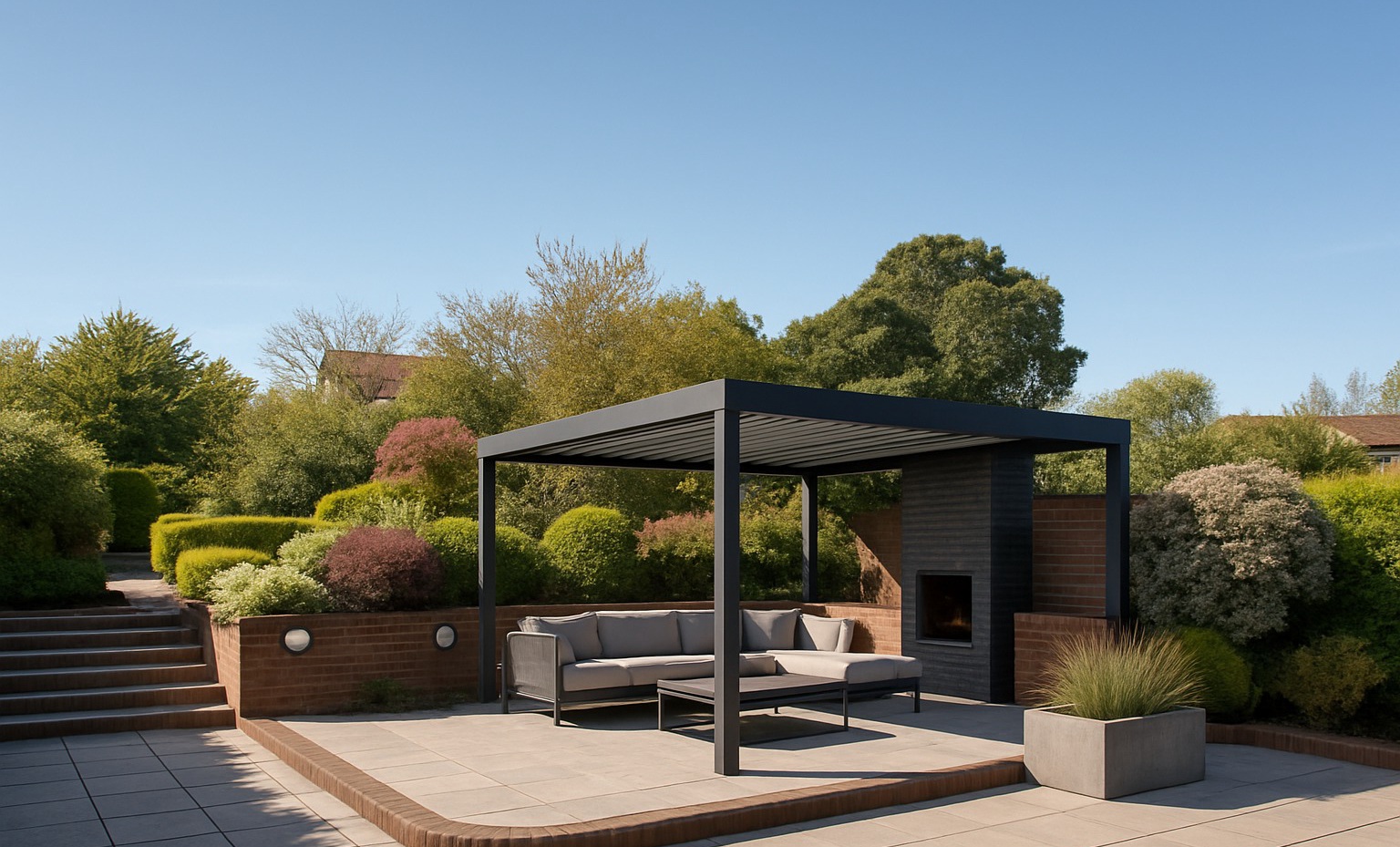
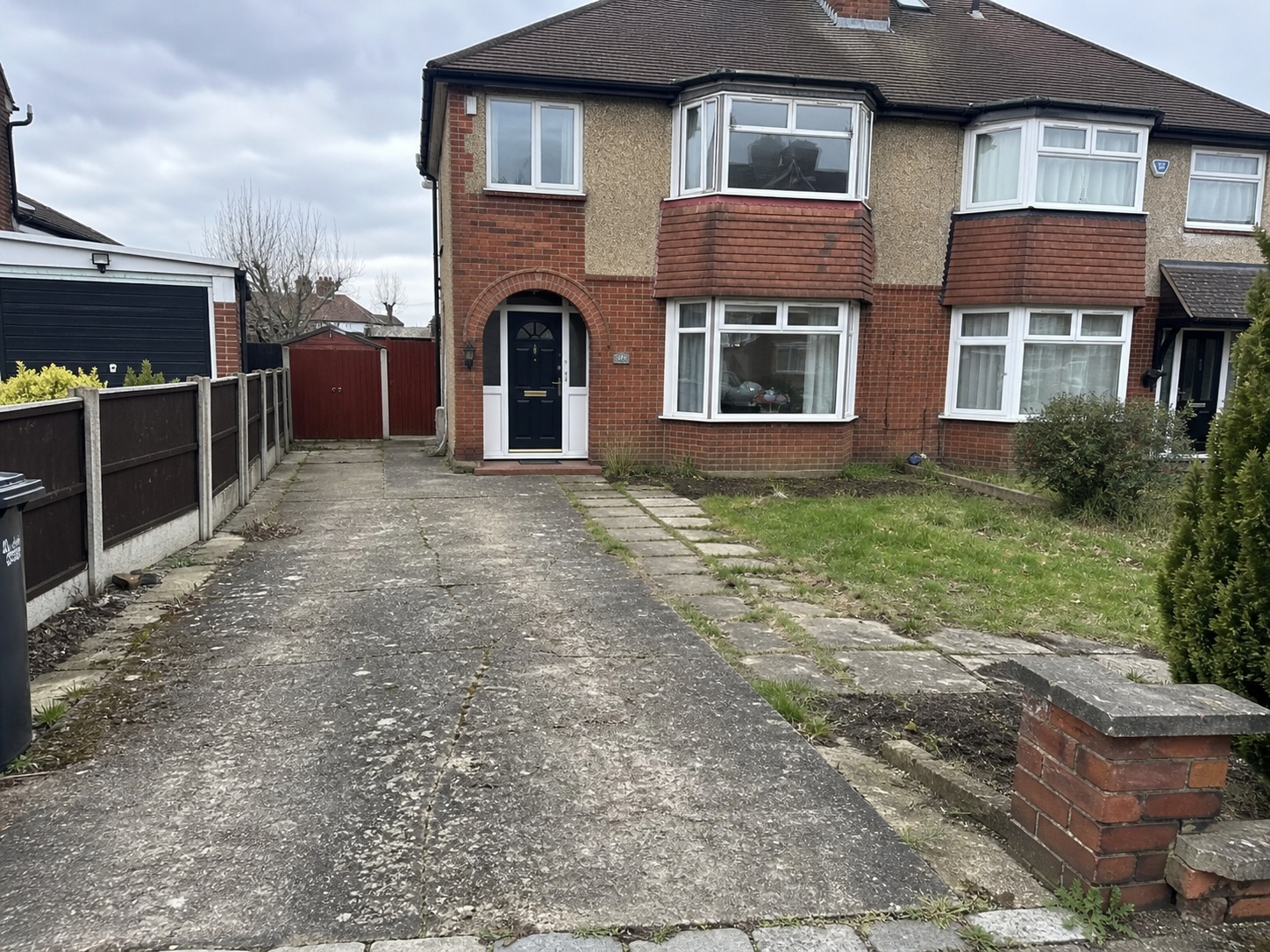
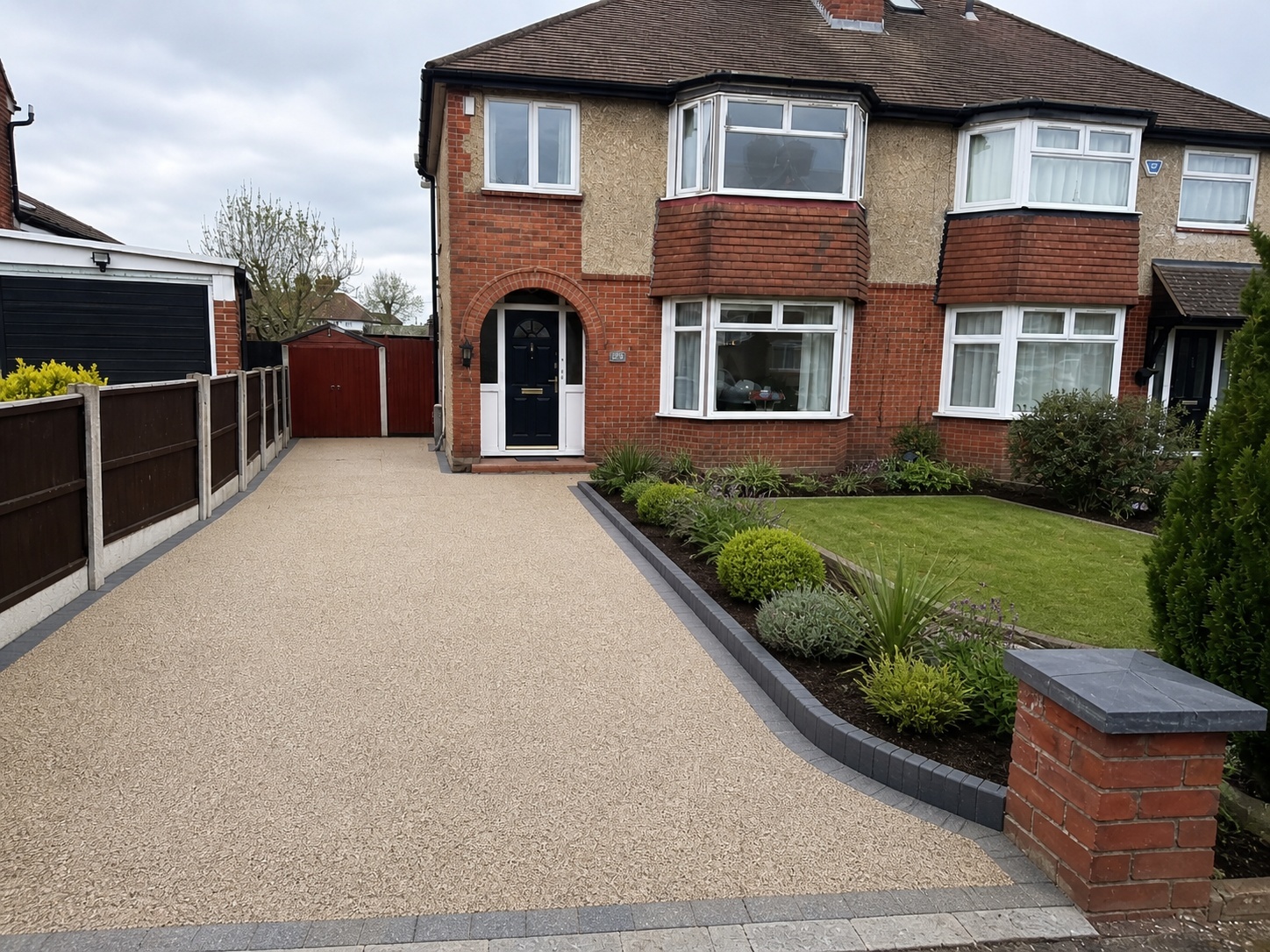
Before & After AI Photo Generator for Builder Quotes
Upload a customer photo, describe the proposed work, generate an illustrative AI “after” image, and include the before-and-after visual inside a branded builder quote PDF.
Visuals are illustrative concept images only — not technical drawings or guarantees of the finished result.
About AI visuals. AI mockups are illustrative visual guides. They help your customer understand the style and direction of a proposed renovation, but they are not measured drawings, design guarantees or planning advice. Always check feasibility, dimensions, specification and suitability for the customer's specific room before sending anything as part of a quote.
How it works
Six steps, from one customer photo to a signed quote.
Step 01
Upload the existing customer photo
Take or upload one clear photo of the customer's actual room, garden, driveway or building. The original photo becomes the “before” image.
Step 02
Describe the proposed work in plain English
Write the brief the way you'd say it on site — units, worktops, flooring, lighting, paint colours, tiling, garden materials. Rough is fine.
Step 03
Generate an illustrative AI after visual
The AI engine produces an illustrative concept image of the proposed finish, anchored to the customer's original photo. It is a visual guide, not a technical drawing.
Step 04
Review and amend the visual
Request up to three amendments per visual to refine style, colour, material direction or layout, until it reflects the proposal you want to send.
Step 05
Add the before-and-after visual to a branded quote PDF
The visual sits inside the same branded PDF as the scope, itemised pricing, exclusions and terms. One document, your letterhead.
Step 06
Send the quote for customer approval
Send the branded PDF by email or message. The customer reviews and signs on a phone. You see Sent, Viewed and Signed status live.
Built for UK builders and trades
TailoredQuote is built for UK tradespeople and contractors, not for homeowners shopping for a quote. The before-and-after AI photo workflow is used most often by:
Practical use cases where an illustrative AI visual sits naturally inside a builder's quote PDF:
Kitchen renovations
Units, worktops, splashback, flooring, lighting and finishes shown as a visual guide alongside the priced scope.
Bathroom refurbishments
Sanitaryware, shower enclosures, vanity, tiling and floor finishes shown as a concept image inside the quote.
Garden redesigns
Patio, decking, lawn, planting, fencing and lighting shown as a visual guide for landscaping quotes.
Driveways & patios
Block paving, resin-bound, porcelain or sandstone finishes shown as an illustrative concept on the customer's own property.
Other common use cases: media walls, garage conversions, modest extension concepts, fitted joinery, and flooring and decorating — anywhere an illustrative before-and-after visual helps your customer picture the finish you're proposing.
Why TailoredQuote is different
Most tools in this space only do one thing. TailoredQuote connects the visual to the rest of the builder quote workflow.
Website visualiser tools
Public-facing widgets that capture homeowner leads on a trade website. The output is a marketing enquiry, not a priced quote.
Photo documentation tools
Side-by-side before/after photo organisers for completed work. Useful for portfolios, but no AI “after” image and no quoting workflow.
Side-by-side before/after image makers
Standalone graphics tools that produce a comparison image. The visual is the deliverable — no scope, no pricing, no signature, no record.
AI estimator tools
Pricing engines that try to guess the job total from a brief. They don't generate a visual the customer can picture, and the contractor doesn't set their own prices.
TailoredQuote
Illustrative AI visual + itemised quote + branded PDF + customer approval workflow with e-signature + saved record. One workflow, one document, one signed agreement.
Important realism note
AI visuals are illustrative concept images only. They are not technical drawings, structural calculations, planning drawings or a guarantee of the finished result. Final results depend on site conditions, materials, measurements, structural requirements, installation method and workmanship.
The visual exists to help your customer picture the direction of the proposed finish — not to replace the survey, the measurements, the architectural drawings, or the trade-standard detailing you'd apply on site.
Frequently asked questions
Can I create a before-and-after image from one photo?
Yes. Upload one photo of the customer's actual room, garden, driveway or building. Describe the proposed work in plain English. The AI engine generates an illustrative after visual that you can then add to the quote PDF alongside the original. The before image is always the customer's own photo so the visual is anchored to their real space.
Can I include AI before-and-after images in a builder quote?
Yes. The visual sits inside the same branded quote PDF as the scope of work, line items, total price and your terms. The customer sees the proposed finish next to your costing in one document, and can sign electronically on a phone.
Is the AI image an exact representation of the finished job?
No. AI visuals are illustrative concept images only. They are not technical drawings, structural calculations, planning drawings or a guarantee of the finished result. Final results depend on site conditions, materials, measurements, structural requirements, installation method and workmanship. Always make this clear to the customer in the quote.
Does it work for extensions?
It works for modest extension concepts where the customer wants a visual guide of the proposed finish. AI visuals for extensions are illustrative only and should never be used in place of architect's drawings, planning submissions or building regulations applications.
Does it work for kitchens and bathrooms?
Kitchens and bathrooms are the most common use cases. The AI engine generates a concept image of the proposed units, worktops, sanitaryware, flooring, tiling and finishes based on the original room photo and your written brief. You can request up to three amendments per visual to refine style, colour or material direction.
Is this for UK tradespeople?
Yes. TailoredQuote is built for UK builders, kitchen and bathroom fitters, landscapers, joiners, decorators, refurb teams, extension specialists, and driveway and patio installers. Pricing, VAT handling, quote terms and the e-signature workflow are all built for UK trade quoting.
Does TailoredQuote create the quote as well as the image?
Yes. The image is one component of the quote, not a separate product. TailoredQuote takes your rough site notes, drafts the scope and line items, lets you set every price, attaches the before-and-after visual, generates a branded PDF on your letterhead, and sends it to the customer for e-signature approval. You see Sent, Viewed and Signed status live.
See it for your trade
Trade-specific examples of before-and-after visuals inside a quote: