Turn garden ideas into visual quotes customers understand
Show customers how their garden could look with patios, turf, planting, fencing, lighting or decking — then send a quote they can review and approve online.
Most garden customers can’t picture the finished space from a written quote
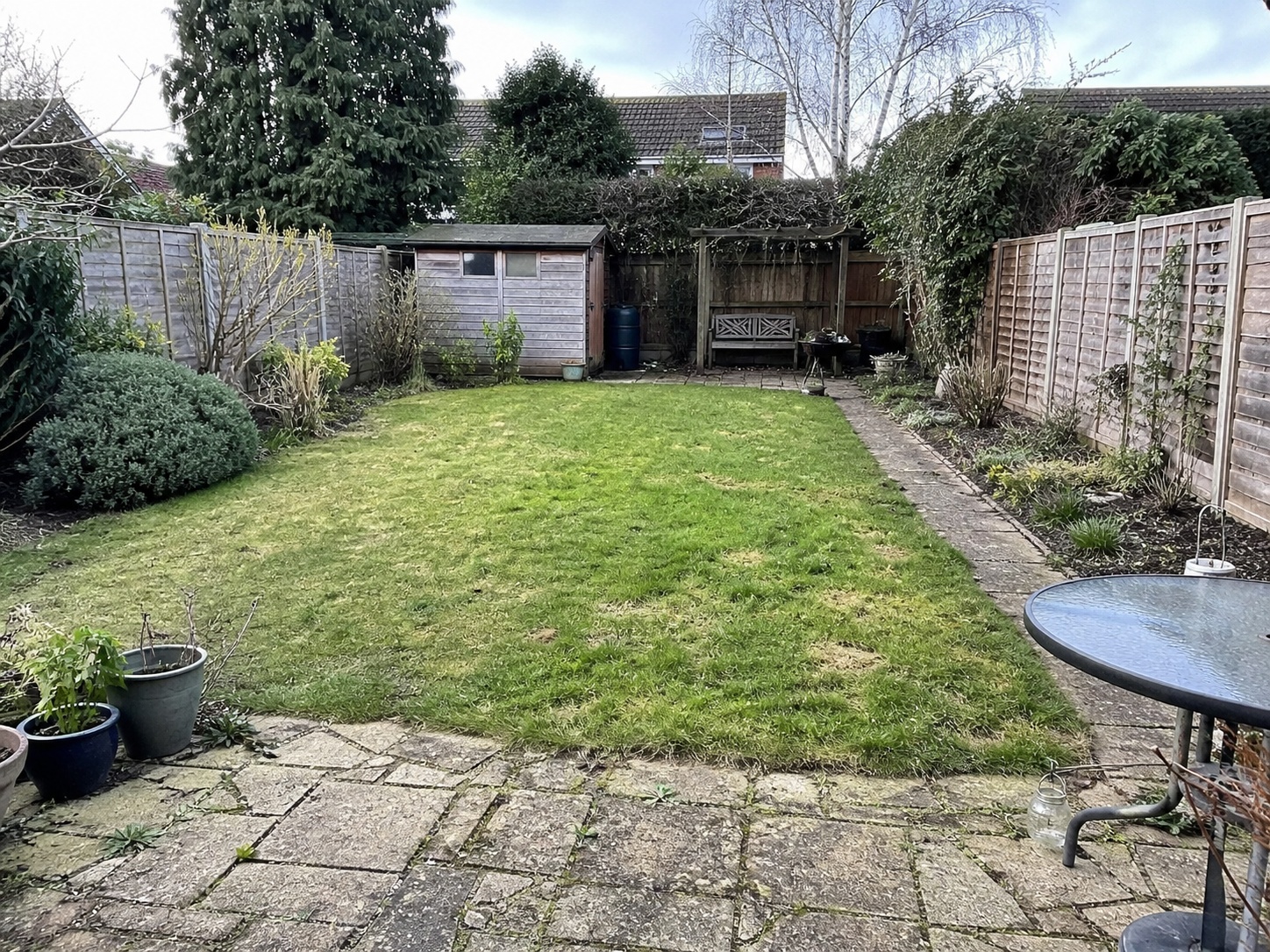
Gardens are messy at the start. Patchy grass, an old slab patio, a tired fence, somewhere a shed used to be. The customer wants “something nicer” but they can’t see how patio + turf + raised beds + a bit of lighting actually fit together on their plot.
That’s where a written quote on its own runs out of road. The numbers might be fair, the scope correct, the materials sensible — but the customer is being asked to commit to a few thousand pounds of work based on a description.
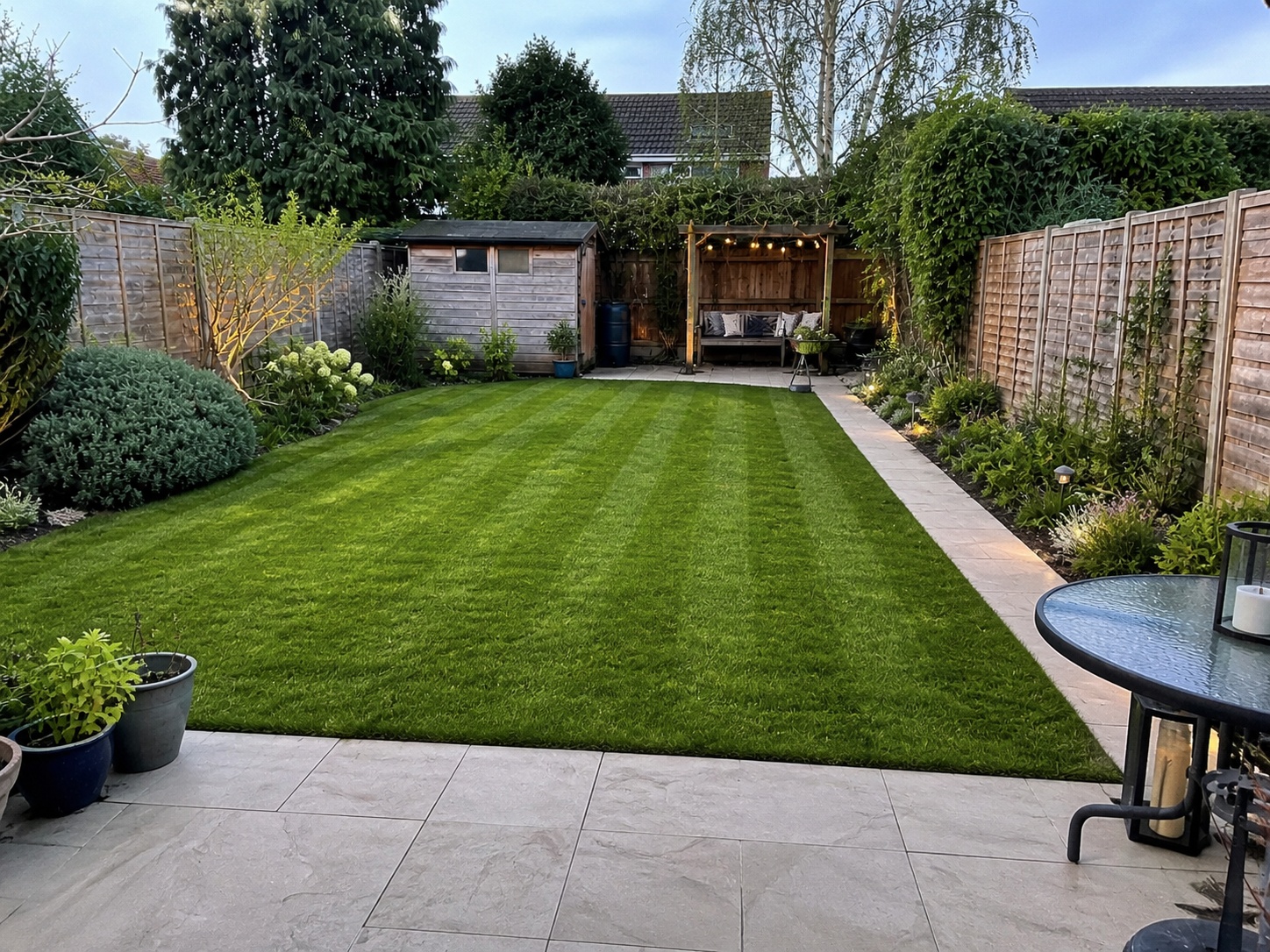
A simple AI mock-up on the customer’s own garden photo turns “I think I see what you mean” into “yes, that’s exactly what we want.” The visual doesn’t replace a survey or a planting plan — it gives the customer a picture they can actually share with their partner before signing anything.
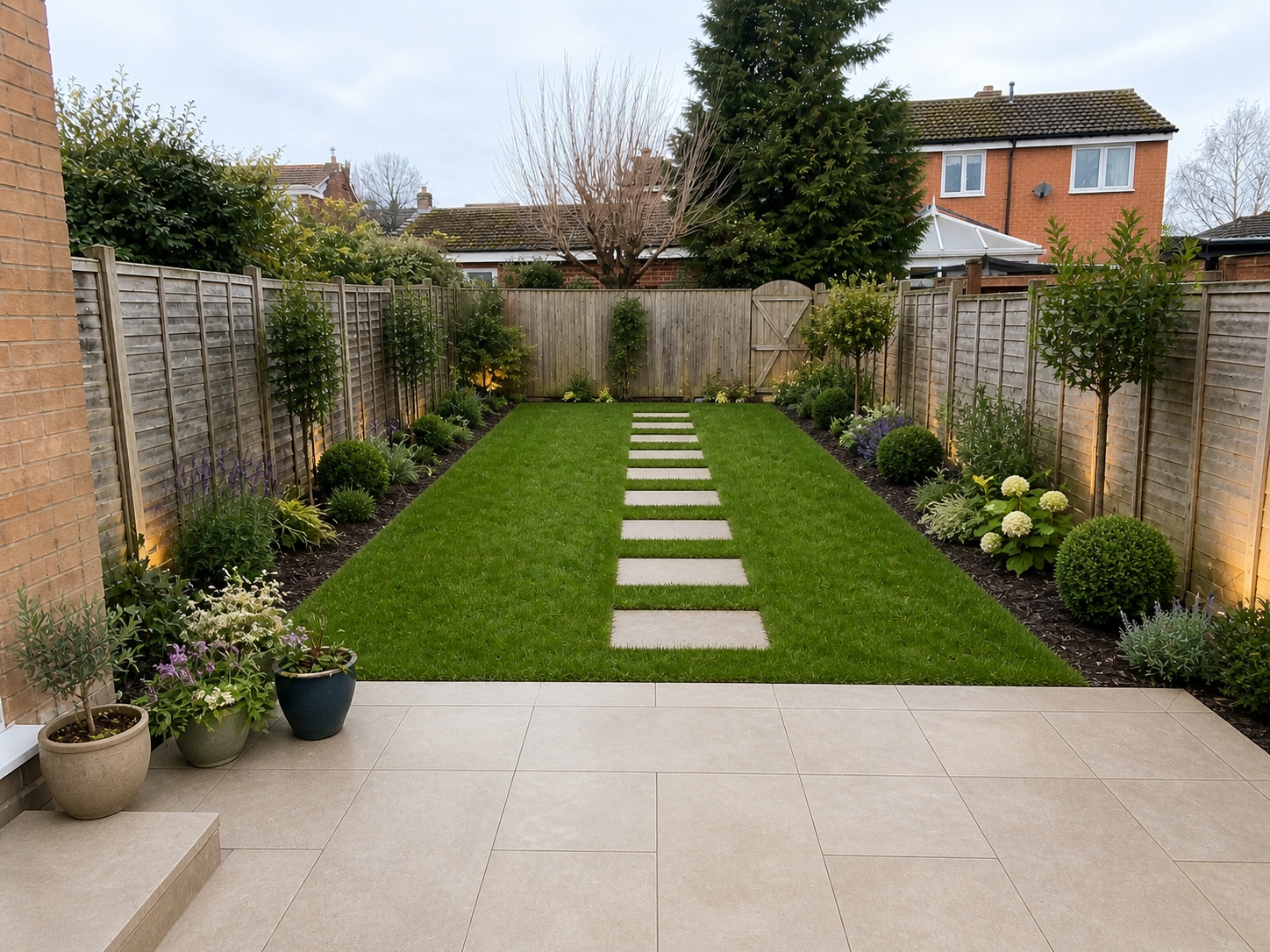
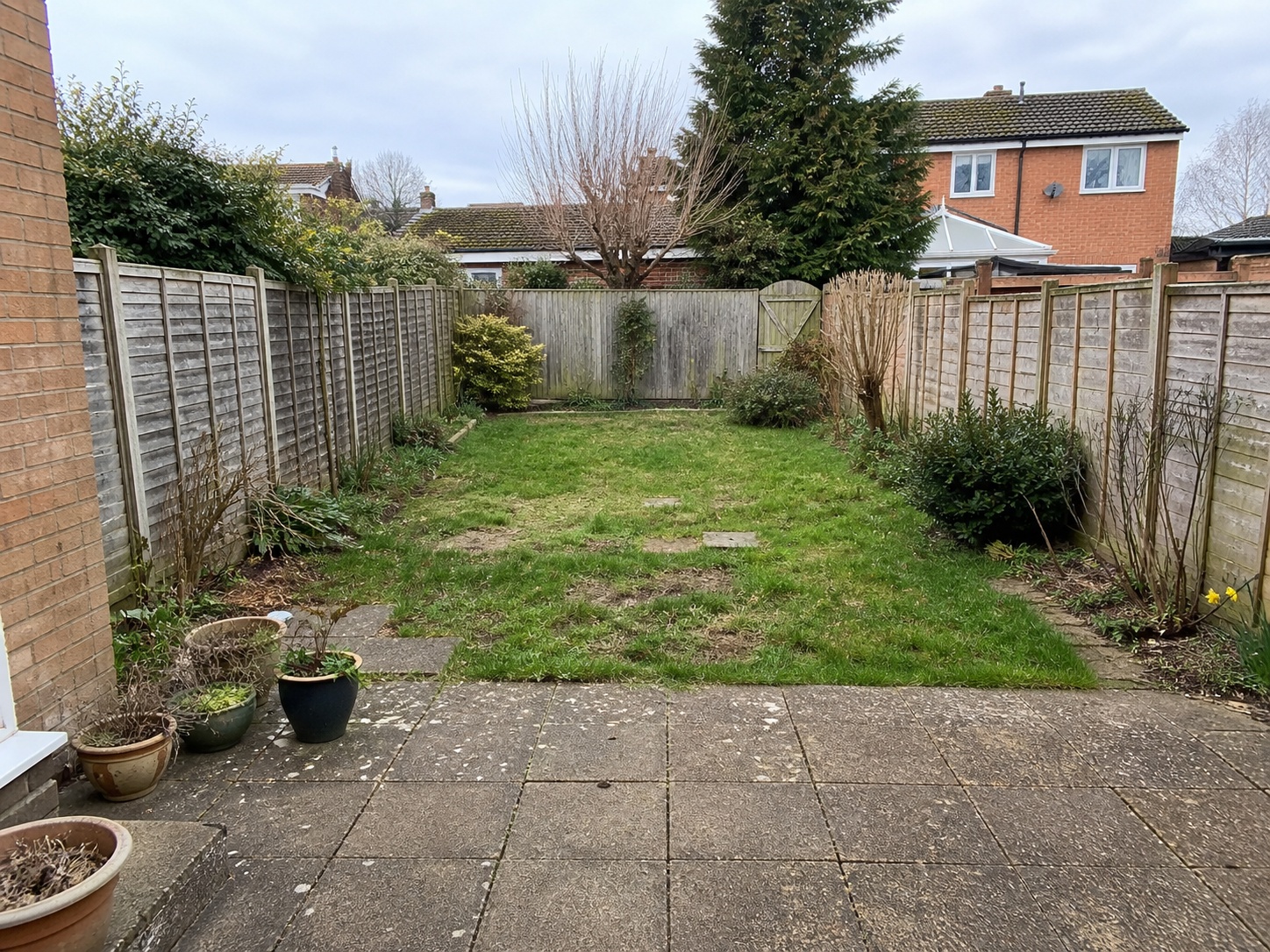
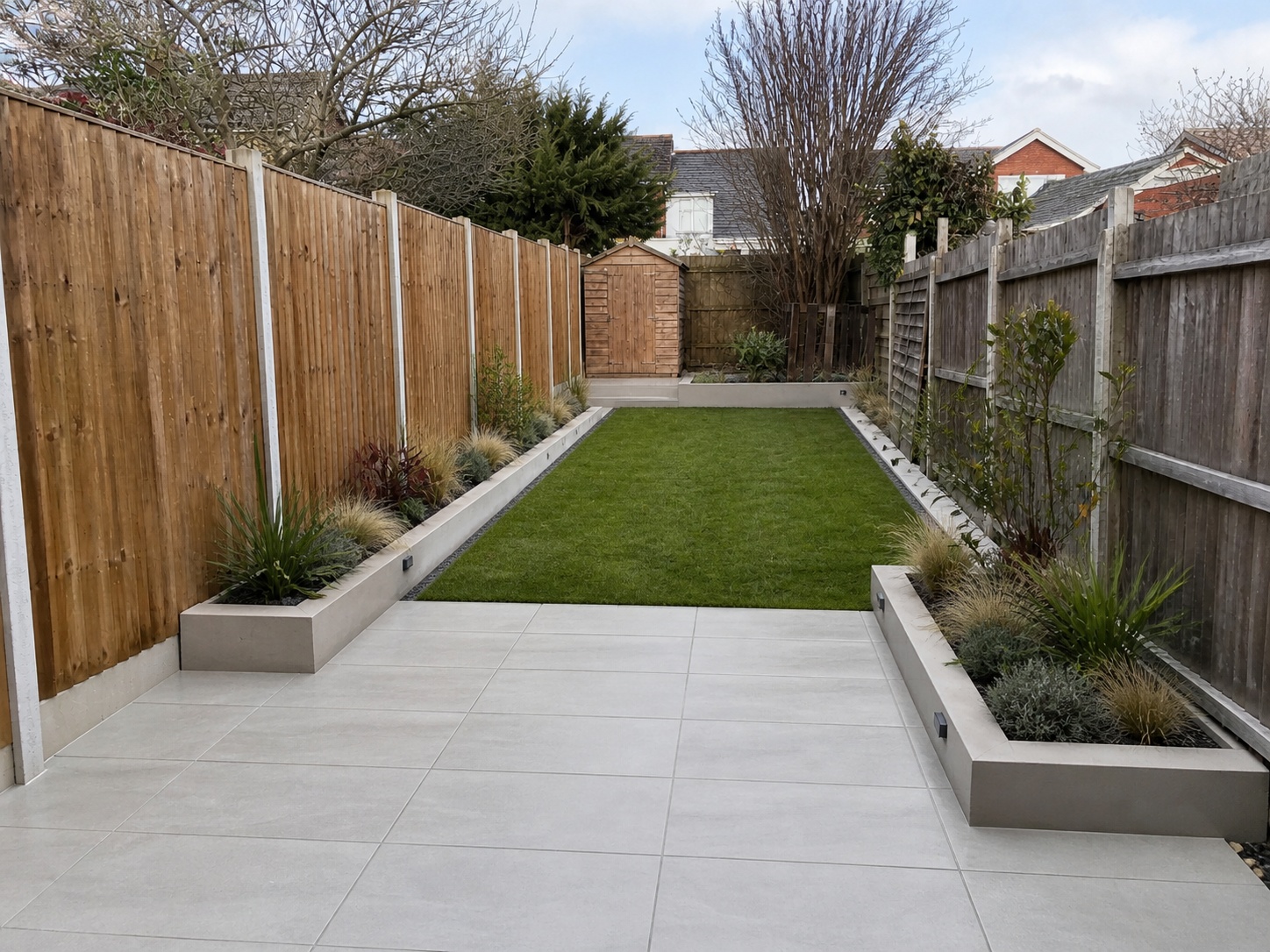
Three example garden mock-ups built from a single before photo
Each visual is generated from one customer photo. The landscaping quote sits inside the same PDF, so they’re looking at the layout, the scope and the price all in one place.
These are illustrative AI sales mock-ups, not measured surveys, planting plans or construction drawings. Always check feasibility, dimensions, drainage, ground conditions and material availability before pricing. The mock-up helps the customer make a confident decision — the survey makes sure the work is buildable.
Example 1 — narrow garden, full redesign
Show an untidy, narrow rear garden transformed into a porcelain patio, raised beds, a clean strip of lawn and discreet outdoor lighting. Helpful when the customer is trying to picture how a tight plot can still feel finished.
*Illustrative AI visual quote example
Try yourself — create your own mock-up in 60 secondsAdd an image and get a design back. No registration needed.
Help the customer picture a tired rear garden becoming a fresh lawn, a clear seating area and softly planted borders. Use this when the budget is mid-range and the priority is making the garden usable.
*Illustrative AI visual quote example
Example 3 — worn paving and patchy grass to a smart patio
Use visuals like this to show how worn paving and patchy grass could become a smart patio with crisp borders. Strong when the customer is comparing “repair the existing patio” against a full re-lay.
*Illustrative AI visual quote example
Free demo · no signup needed
Try the AI mockup yourself before you sign up
Upload a garden photo on our free demo page, write a short brief, and see your own AI before-and-after in about a minute. No card details, no email confirmation, nothing to install. It’s the same engine that powers the visual quotes above.
Why visual quotes help landscapers shorten the “we’ll think about it” phase
Garden work is rarely an emergency, so customers feel comfortable taking weeks or months to decide. The longer that gap stretches, the more likely the job is to drift, change scope, or quietly disappear.
A visual quote shifts the conversation from “maybe” to “is this what we’re actually getting?” That’s a far more productive question. It surfaces the small concerns — the patio shape, the planting style, the lighting position — while the customer is still engaged, instead of three weeks later when you’ve moved on.
It also makes options easier to discuss. “Standard porcelain” vs “premium porcelain with feature lighting” means a lot more when the customer can see both on their own garden, side by side.
How TailoredQuote works for a landscaping company
Add the garden scope
Type or speak rough notes — patio area, turf type, fencing line, decking sqm, lighting, drainage, planting style.
Upload the customer’s garden photo
A standard mobile photo is enough. The clearer the boundaries, the cleaner the mock-up.
Generate the garden mock-up
The AI produces a visual showing the proposed layout. Up to 3 amendments to refine patio shape, planting feel or lighting.
Send the quote for approval
Branded PDF with the visual built in, plus an online accept-and-sign button. You get a clearer record of what was agreed before ordering materials.
Online quote acceptance
Once the customer can see the garden, make it easy for them to say yes
The mock-up sells the idea. The acceptance step closes it. TailoredQuote keeps the quote, the visual and the customer’s approval together in one record — cleaner than scattered WhatsApp screenshots, verbal go-aheads or unsigned email confirmations.
Designed to support standard UK trade quote acceptance under the Electronic Communications Act 2000. Not intended for deeds, wills, land transfers or other documents requiring witnessed or notarised execution.
1
Customer opens your quote on their phone
Branded PDF plus an online review page they can scroll through.
2
They review the garden mock-up and the scope
Layout, materials, planting style and price all in one place.
3
They sign on screen with their finger or mouse
You get an emailed PDF showing what was accepted, when and by whom.
What’s built in for landscaping work
Six things that matter for a typical garden makeover quote, included as standard.
🌿
Show patios, turf and planting
The AI keeps the garden boundaries and house orientation — only the layout, surfaces and planting change. The customer recognises their own plot.
🔌
Visualise fencing, lighting and seating
Slatted fencing, a defined seating area, low-level lighting — small details that make a quote feel like a designed garden, not just a list of materials.
📊
Compare garden options easily
Run two or three variations on the same photo — lawn-led, patio-led, low-maintenance — so the customer can pick the direction before you finalise materials.
📄
Visuals built into the quote PDF
The mock-up sits inside your branded quote, not in a separate email attachment they have to dig out a week later.
✅
Customer approval before work starts
Online accept-and-sign button gives a clearer record of what scope, layout and price were agreed before materials are ordered.
🏠
Stage and option pricing
Quote the patio now, the planting in spring, the lighting later — or price upgrades as separate options the customer can tick on the same quote.
The maths is straightforward
If a visual quote helps a hesitant customer commit to one extra garden makeover, TailoredQuote can pay for itself many times over.
A typical garden redesign is well into four figures. The software is a small fixed monthly cost.
Plans from £35/month with a 14-day free trial. No card needed to start. See pricing.
Common exclusions to put on every landscaping quote
Garden jobs surface unexpected work the moment a slab comes up. Listing these on every quote prevents the awkward conversation when the unexpected appears.
Removal of large trees, stumps or invasive species (Japanese knotweed, bamboo runners)
Drainage upgrades, soakaways or SuDS-compliant runoff (separate priced item)
Structural retaining walls beyond standard sleeper or block courses
Tree preservation order checks and conservation area consents
Skip hire or grab-away beyond the standard volume allowed
Asbestos discovery in old patios, sheds or garage bases (specialist removal)
Power or water supply runs to outbuildings (electrician or plumber required)
Lighting wiring back to the consumer unit (Part P notification)
Garden room, summerhouse or shed construction
Premium decking grades or hardwood specifications (priced from chosen sample)
Premium porcelain or natural stone (priced from the customer’s chosen sample)
Topsoil import beyond the standard cubic metres allowed
Lawn after-care, irrigation systems or automated watering
Pest, mole or weed treatment beyond initial preparation
Boundary disputes, party wall negotiations or neighbour consents
Edit this list to fit your typical jobs before sending the first quote. The point is to protect both sides — not to copy ours word-for-word.
Frequently asked questions
Can I mock up patios, turf, fencing and planting in one image?
Yes — the AI works on the whole garden photo at once, so the mock-up shows the proposed surface, lawn, borders, fencing line and lighting together. You can request up to three amendments to refine details like patio shape or planting density.
Can I show different garden options to the same customer?
Yes. Generate variations on the same photo — for example, lawn-led, patio-led, or low-maintenance. The customer compares them side by side before you finalise materials and pricing. Means fewer quote revisions later.
Are these visuals suitable as construction or planting plans?
No — treat them as illustrative sales visuals. They’re meant to help the customer make a confident yes/no decision. Site survey, levels, drainage, planting schedules, structural calculations — all of those still need the trade or a designer to produce. The mock-up is the bridge between “I think I want a new garden” and “here’s a quote we can work with.”
Can I include staged work or optional extras in the quote?
Yes. The quote can be split into stages (patio first, planting later) or include optional add-ons (lighting upgrade, additional fencing, irrigation). Customers see the core quote and the options on one page.
Can customers approve the landscaping quote online?
Yes. The branded quote PDF and the garden mock-up are in the same record, with an accept-and-sign button on the review page. You get an emailed PDF showing what was accepted, when and by whom — a clearer record than a verbal yes or a thumbs-up over text. Available on every plan.
Will I still control the price, or does the AI guess that?
You set every price. The AI drafts the scope wording (groundworks, base prep, paving, edging, turf, planting, fencing, lighting) but you review and edit every line and price before the quote goes out. There are no hidden margins or surprise pricing rules.